This project is sourced from another site, not written by us — this list is our best match of their components against what we stock, not a verified bill of materials. Always check the original blog (linked above) for the actual parts list before buying.
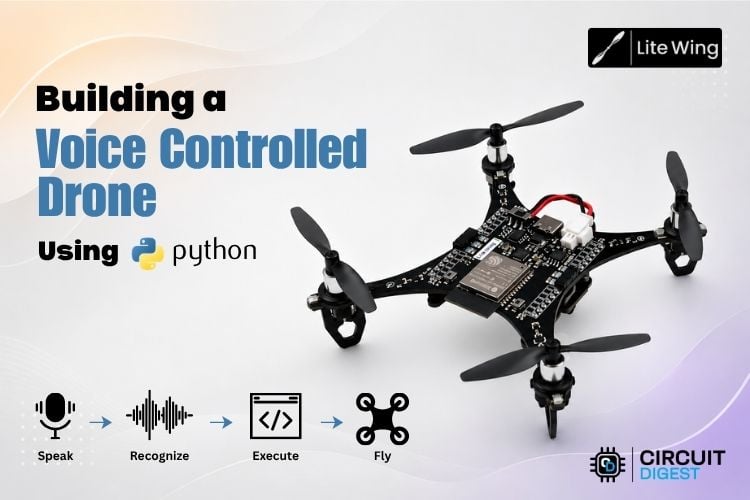
This voice-controlled aerial robotics system integrates speech recognition algorithms with microcontroller hardware to process spoken commands and translate them into physical flight maneuvers. At the center of the system is the ESP32 microcontroller, which communicates with the LiteWing drone framework. The workflow begins at a laptop or PC equipped with a microphone, where Python 3 runs alongside the Vosk speech recognition library and PyAudio. Vosk performs offline speech-to-text processing, converting spoken phrases into discrete text commands without relying on cloud-based processing. Once a valid command is recognized, a Python script uses the LiteWing library to transmit flight instructions wirelessly or via serial communication to the ESP32 DevKit v1 board on the drone. For precise spatial awareness, the LiteWing positioning module must be installed correctly with its arrow aligned toward the USB-C port. The ESP32 interprets these incoming commands, managing the motor outputs powered by the onboard battery while keeping wiring safely routed away from the spinning propellers. The system relies on proper firmware execution to bridge the gap between human vocal input and real-time drone actuation, allowing undergraduate engineering students to explore the intersection of audio processing, wireless communication, and embedded systems.
Why Build This
Explore advanced human-machine interfaces by implementing offline speech recognition to control hardware.
Gain hands-on engineering experience integrating Python-based software libraries with microcontrollers and wireless drone platforms.
Develop practical applications in autonomous robotics, voice-navigated inspection, and embedded sensor positioning.
Ensure the positioning module is installed correctly with the arrow facing the USB-C port. Keep battery and wires routed safely away from propellers, and disconnect the battery immediately if the drone fails to boot.
Technology Tags
PYTHON
VOSK
PYAUDIO
WI-FI
SPEECH RECOGNITION
DRONE
EMBEDDED SYSTEMS
Frequently Asked Questions
Vosk allows the system to process voice commands locally on your laptop or PC without requiring an internet connection, ensuring lower latency and greater reliability during drone operation.
You must ensure the positioning module is installed correctly with its directional arrow facing directly toward the USB-C port to maintain proper spatial orientation tracking.
Disconnect the battery immediately to prevent potential electrical faults or component overheating, then verify your wiring and latest drone firmware installation.
Gallery
This page is part of Kitkraft's Project Hub — a curated collection of electronics & robotics projects gathered from the maker community to help students and hobbyists discover and learn to build. Kitkraft does not claim authorship of the original project, and makes no representation as to the accuracy, completeness or safety of third-party source material. The summary and "How It Works" explanation above are AI-generated, rewritten with reference to the original tutorial — not a reproduction of it. Full credit and a direct link to the original source are provided above. If you're the original creator and have a concern about how your work is represented here, please contact us and we'll address it promptly.
Kitkraft Project Hub — curated from the maker community, credited at the source.
 Microphone module - Analog Sound Sensor Module for Arduino
Rs. 63.00
 Jumper Wire 10 Pin Male To Male 20cm
Rs. 45.00
 400 Points Mini Solderless Prototype PCB Breadboard High Quality
Rs. 89.00
 MB102 Adjustable Breadboard Power Supply Module (3.3V & 5V) for Arduino & Raspberry Pi
Rs. 139.00
 Jumper Wire 10 Pin Male To Female 20cm
Rs. 45.00


