How to Clone RFID Cards? Step-by-Step Educational Guide
Project Hub
/Security Surveillance & Defense/RFID / NFC Access Systems/How to Clone RFID Cards? Step-by-Step Educational Guide
Intermediate
INDUSBOARD
₹1,500 – ₹5,000
3 – 6 Hours
Partial Kit
How to Clone RFID Cards? Step-by-Step Educational Guide
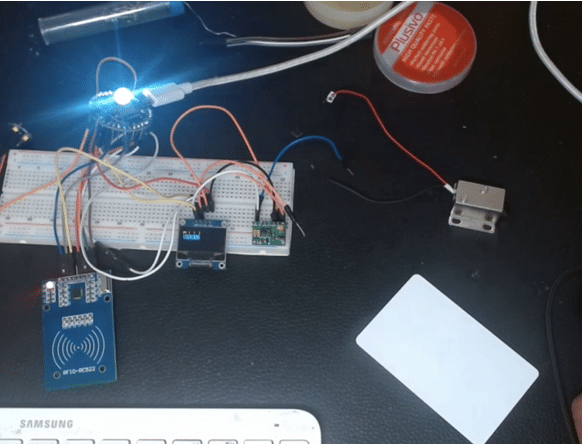
A step-by-step educational guide on how to clone an RFID card and create an exact copy using an IndusBoard Coin and an MFRC522 RFID reader/writer module.
This project is sourced from another site, not written by us — this list is our best match of their components against what we stock, not a verified bill of materials. Always check the original blog (linked above) for the actual parts list before buying.
Radio Frequency Identification (RFID) systems rely on electromagnetic fields to communicate between a reader and a transponder tag. In this project, the IndusBoard Coin development board acts as the central processing unit, communicating with the MFRC522 RFID reader/writer module over the Serial Peripheral Interface (SPI) protocol. When a source RFID card is placed near the MFRC522 module's antenna, the reader generates an alternating magnetic field that powers the card's internal microchip via inductive coupling. The card then transmits its unique identifier (UID) and data blocks back to the reader through load modulation. The IndusBoard Coin captures this incoming data stream, processing the radio signals captured by the hardware. Once the valid data from the original card is successfully read and stored in the microcontroller's memory, the operational state of the IndusBoard is shifted. By substituting the original card with a blank RFID card and reprogramming the MFRC522 to write mode, the IndusBoard transmits the stored UID and memory block data back out through the antenna, permanently overwriting the writable sectors of the blank card. Through this write cycle, the blank card becomes an identical functional duplicate, replicating the exact radio signature required to trigger compatible access control systems.
Why Build This
Analyze foundational access control mechanisms and identify physical security vulnerabilities in legacy RFID implementations.
Evaluate skimming risks and understand how low-frequency and high-frequency identification tokens can be intercepted or duplicated.
Generate functional backup access tokens for personal hardware to mitigate the risk of permanent lockouts.
Real-World Application
Understanding RFID/NFC security vulnerabilities, skimming risks, and creating backup access cards for personal use.
Skills You'll Learn
SPI communication protocol
RFID transponder interrogation
microcontroller data storage
electromagnetic induction principles
access control vulnerability assessment
Safety Precautions
This project is strictly for educational purposes to demonstrate security vulnerabilities. Encrypted cards cannot be cloned using this method, and unethical use of this knowledge is strongly discouraged.
Technology Tags
RFID
NFC
MFRC522
SPI
ARDUINO IDE
C++
MICROCONTROLLERS
Frequently Asked Questions
No, this method only works on standard, unencrypted writable cards. High-security or encrypted tokens cannot be cloned using basic MFRC522 readers.
You will need the Arduino IDE installed on your computer, along with the specific MFRC522 library to handle RFID communication routines.
The USB Type-C adapter provides stable power to the IndusBoard Coin and facilitates serial communication for debugging and viewing captured card data on a computer.
Gallery
This page is part of Kitkraft's Project Hub — a curated collection of electronics & robotics projects gathered from the maker community to help students and hobbyists discover and learn to build. Kitkraft does not claim authorship of the original project, and makes no representation as to the accuracy, completeness or safety of third-party source material. The summary and "How It Works" explanation above are AI-generated, rewritten with reference to the original tutorial — not a reproduction of it. Full credit and a direct link to the original source are provided above. If you're the original creator and have a concern about how your work is represented here, please contact us and we'll address it promptly.
Kitkraft Project Hub — curated from the maker community, credited at the source.
 MB102 Adjustable Breadboard Power Supply Module (3.3V & 5V) for Arduino & Raspberry Pi
Rs. 139.00
 RFID Reader/Writer RC522 SPI S50 with RFID Card and Tag
Rs. 190.00
 400 Points Mini Solderless Prototype PCB Breadboard High Quality
Rs. 89.00
 Jumper Wire 10 Pin Male To Male 20cm
Rs. 45.00
 Jumper Wire 10 Pin Male To Female 20cm
Rs. 45.00


