This project is sourced from another site, not written by us — this list is our best match of their components against what we stock, not a verified bill of materials. Always check the original blog (linked above) for the actual parts list before buying.
Managing multiple ESP32 board package versions within the Arduino IDE involves configuring the development environment to handle distinct board support package releases concurrently. The Arduino IDE relies on JSON-based Board Manager URLs to fetch and install specific toolchains, header files, core libraries, and compiler wrappers tailored to a chosen board family. By utilizing custom directory structures or leveraging version-specific installation paths within the Arduino core framework, developers can switch between different versions of the ESP32 platform core without overwriting existing files. When a specific version is selected via the Arduino IDE Board Manager or platform configuration files, the IDE dynamically redirects its compiler paths and build scripts to use the corresponding toolchain binaries and hardware definition files. This ensures that code targeting older API structures compiles against legacy hardware abstractions, while newer projects utilize updated libraries and corrected register mappings. The ESP32 DevKit v1 board then interfaces with this environment by accepting the compiled binary output over a standard USB-to-UART bridge, executing the firmware regardless of which underlying software development kit version generated the machine code.
Why Build This
Maintain compatibility across legacy and modern undergraduate IoT engineering projects without encountering sudden build failures from API deprecations.
Isolate testing environments to verify how firmware behaves across different iterations of the ESP32 core libraries.
Streamline collaborative development by matching exact software dependencies required by specific remote telemetry and data-logging specifications.
Real-World Application
Useful for embedded systems developers and IoT engineers maintaining multiple legacy and modern projects simultaneously without code breakage due to library or API deprecations.
Skills You'll Learn
Integrated development environment configuration
Board support package management
Toolchain version control
Build path configuration
Legacy software maintenance
Safety Precautions
No specific precautions noted for this build — always follow general electronics safety practices.
Technology Tags
ARDUINO IDE
ESP32
BOARD MANAGER
VERSION CONTROL
FIRMWARE
MICROCONTROLLER
Frequently Asked Questions
No, managing multiple board versions only affects the compilation toolchains and core hardware files, leaving your personal sketches untouched.
While you can have multiple versions installed simultaneously on your machine, the Arduino IDE allows you to select only one active version per compilation session.
An internet connection is only needed when initially downloading a new version through the Board Manager; switching between already installed versions can be done offline.
Gallery
This page is part of Kitkraft's Project Hub — a curated collection of electronics & robotics projects gathered from the maker community to help students and hobbyists discover and learn to build. Kitkraft does not claim authorship of the original project, and makes no representation as to the accuracy, completeness or safety of third-party source material. The summary and "How It Works" explanation above are AI-generated, rewritten with reference to the original tutorial — not a reproduction of it. Full credit and a direct link to the original source are provided above. If you're the original creator and have a concern about how your work is represented here, please contact us and we'll address it promptly.
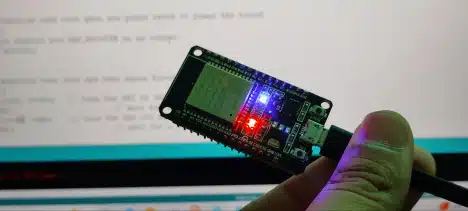
 ESP32 WiFi+Bluetooth CP2102 Development Board
Rs. 520.00
 400 Points Mini Solderless Prototype PCB Breadboard High Quality
Rs. 89.00
 MB102 Adjustable Breadboard Power Supply Module (3.3V & 5V) for Arduino & Raspberry Pi
Rs. 139.00
 Jumper Wire 10 Pin Male To Male 20cm
Rs. 45.00
 Jumper Wire 10 Pin Male To Female 20cm
Rs. 45.00


