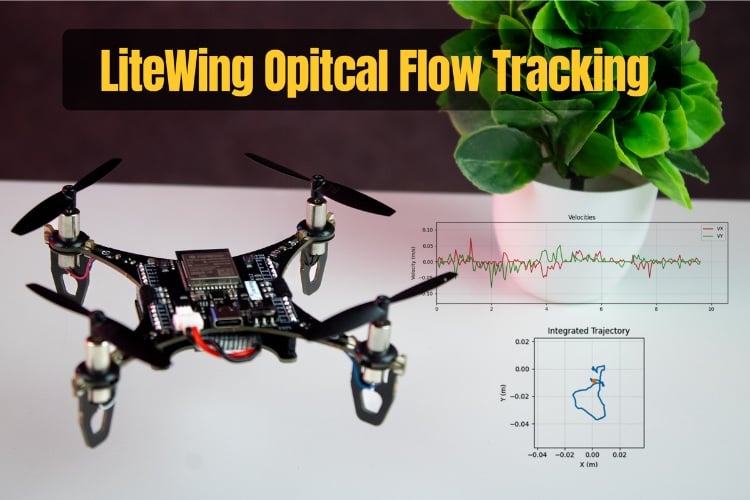
A comprehensive guide and Python script to stream optical flow data from the LiteWing PMW3901MB sensor, convert pixel deltas to linear velocity using altitude data, and integrate them into a 2D trajectory.
We stock the boards, sensors and modules this project needs. A full parts list is coming soon — for now, browse our DIY Kits & components or search for AI / ML parts.
This project is sourced from another site, not written by us — this list is our best match of their components against what we stock, not a verified bill of materials. Always check the original blog (linked above) for the actual parts list before buying.
We don't carry yet: Drone Parts (ESC / propeller / flight controller / BLDC)
Water Flow Sensor
Laser / LiDAR / ToF Sensor
Compatible Wi-Fi
The LiteWing Flight Positioning Module integrates advanced optical flow and time-of-flight sensing technologies to enable precise indoor drone navigation. At its core, the PMW3901MB optical flow sensor captures sequential surface images at high frequency, calculating pixel displacement deltas to track horizontal movement across the ground. Simultaneously, the onboard VL53L1X Time-of-Flight (ToF) sensor emits infrared laser pulses to accurately measure the drone's precise altitude above the terrain. Because pixel shifts captured by a downward-facing camera vary depending on how far the sensor is from the ground, the system combines raw optical flow pixel deltas with altitude data from the ToF sensor. This mathematical fusion converts raw optical data into true linear velocity measurements. Through a compatible Wi-Fi or CRTP interface-enabled drone, these calculated velocity vectors are streamed back to a development PC running Python. Utilizing libraries like cflib, Tkinter, and Matplotlib, the LiteWing Firmware and custom test scripts process this telemetry in real-time, allowing engineers to visualize and integrate the velocity streams into a comprehensive 2D trajectory mapping system without relying on external GPS signals.
Why Build This
Develop practical undergraduate-level experience in sensor fusion by combining optical flow and time-of-flight ranging data for spatial positioning.
Implement real-time telemetry streaming and trajectory visualization pipelines using Python, Matplotlib, and specialized drone communication libraries.
Gain hands-on engineering competency in designing autonomous indoor navigation systems for GPS-denied environments like warehouses.
Real-World Application
Indoor drone navigation, autonomous hovering, and precise low-altitude positioning in GPS-denied environments such as warehouses or closed spaces.
Skills You'll Learn
Sensor fusion
optical flow tracking
time-of-flight distance measurement
real-time telemetry streaming
Python data visualization
drone network communication protocols
spatial velocity calculation
Safety Precautions
Ensure proper clearance and secure connection before running live drone scripts to prevent unexpected hardware movement or crashes.
Technology Tags
OPTICAL FLOW
PMW3901MB
VL53L1X
PYTHON
TKINTER
MATPLOTLIB
DRONE NAVIGATION
SENSORS
CRTP
IIR FILTER
Frequently Asked Questions
Optical flow sensors measure movement in pixels, not physical distance. To convert pixel shifts into true linear velocity, the system needs precise altitude data from the ToF sensor to account for how height changes the apparent speed of the ground passing underneath.
The PMW3901MB optical flow and VL53L1X ToF sensors are primarily optimized for indoor environments. Bright outdoor sunlight can saturate the optical sensor and interfere with the infrared laser of the ToF sensor.
You need Python installed along with specific libraries including cflib for drone communication, Tkinter for graphical interfaces, and Matplotlib for plotting the real-time 2D trajectory.
Gallery
This page is part of Kitkraft's Project Hub — a curated collection of electronics & robotics projects gathered from the maker community to help students and hobbyists discover and learn to build. Kitkraft does not claim authorship of the original project, and makes no representation as to the accuracy, completeness or safety of third-party source material. The summary and "How It Works" explanation above are AI-generated, rewritten with reference to the original tutorial — not a reproduction of it. Full credit and a direct link to the original source are provided above. If you're the original creator and have a concern about how your work is represented here, please contact us and we'll address it promptly.
Kitkraft Project Hub — curated from the maker community, credited at the source.