Project Hub/Renewable Energy Power & Sustainability/Solar Tracking Systems (Single/Dual Axis)/Raspberry Pi-based Network Storage System
Intermediate
RASPBERRY PI
₹5,000 – ₹15,000
3 – 6 Hours
Raspberry Pi-based Network Storage System
Build a low-power, always-on network storage system (NAS) using a Raspberry Pi and two USB hard drives for local data storage and backup.
Originally published by Pooja Juyal on ElectronicsForU
View original tutorial
How It Works
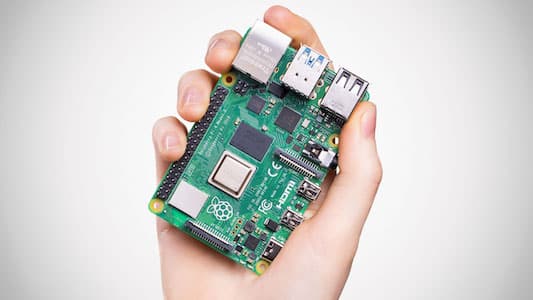
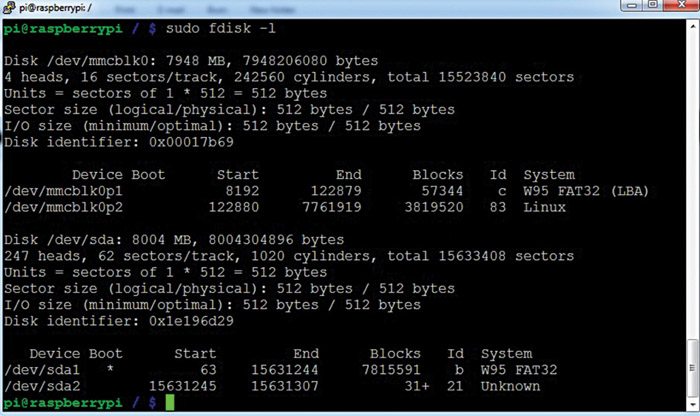
This project transforms a Raspberry Pi into a functional network-attached storage (NAS) device by connecting external storage hardware and configuring file-sharing software. At the core of the system is the Raspberry Pi running the Raspbian operating system from an SD card. Because spinning up mechanical hard drives draws significant electrical current—especially upon startup—the two NTFS-formatted USB external hard drives and the Raspberry Pi are connected through a powered USB hub to ensure stable voltage and prevent brownouts or sudden reboots. Once the physical hardware is securely wired and powered, the software layer takes over. The Raspberry Pi utilizes the ntfs-3g driver to seamlessly read and write data to the Windows-compatible NTFS file system on the external drives. To make these drives accessible across your local network, Samba software is installed and configured. Samba implements the SMB/CIFS networking protocol, effectively translating Linux file directories into shared network folders that Windows, macOS, and mobile devices can discover. Users can connect to the Raspberry Pi's IP address from other computers on the same network to transfer files, stream media, and execute automated backups without needing direct physical access to the storage drives.
Why Build This
Create a centralized, always-on location to share homework assignments, projects, and media files across all computers in your home.
Learn how to repurpose single-board computers into practical, money-saving alternatives to expensive commercial network storage hardware.
Gain hands-on experience setting up local data backups to protect important school projects from accidental loss.
Real-World Application
Home network file sharing, media streaming, and automated local data backups without the need for expensive commercial NAS hardware.
Skills You'll Learn
Network file sharing protocol configuration
Linux file system mounting
external power management for USB peripherals
operating system software installation via SD card
Safety Precautions
Ensure the external USB hard drives and Raspberry Pi are powered adequately, preferably using a powered USB hub to prevent power drops.
Technology Tags
RASPBERRY PI
NAS
NETWORK STORAGE
SAMBA
LINUX
USB HARD DRIVE
NTFS
SSH
Ready to build this?
We stock the boards, sensors and modules this project needs. A full parts list is coming soon — for now, browse our DIY Kits & components or search for Raspberry Pi parts.
Frequently Asked Questions
Can I use external hard drives that are already formatted to NTFS?
Yes, the project specifically utilizes NTFS-formatted drives alongside the ntfs-3g software package, allowing the Raspberry Pi to read and write to them without reformatting.
Why do I need a powered USB hub instead of plugging the hard drives directly into the Raspberry Pi?
Mechanical USB hard drives draw a lot of electrical power, particularly when spinning up. Plugging two of them directly into a Raspberry Pi can overload its power limits and cause the system to crash or lose data, making a powered hub essential for stability.
Can other computers on my Wi-Fi network access the stored files?
Yes, as long as the other devices are connected to the same local network and you have properly configured the Samba software, any computer or compatible device can access the shared folders.
Gallery





Kitkraft Project Hub — curated from the maker community, credited at the source.
PRJ-00200