Project Hub
/IoT & Connected Devices/Telemetry & Remote Logging/Using any controller as an arcade stick
Intermediate
ARDUINO
₹5,000 – ₹15,000
3 – 6 Hours
Partial Kit
Using any controller as an arcade stick
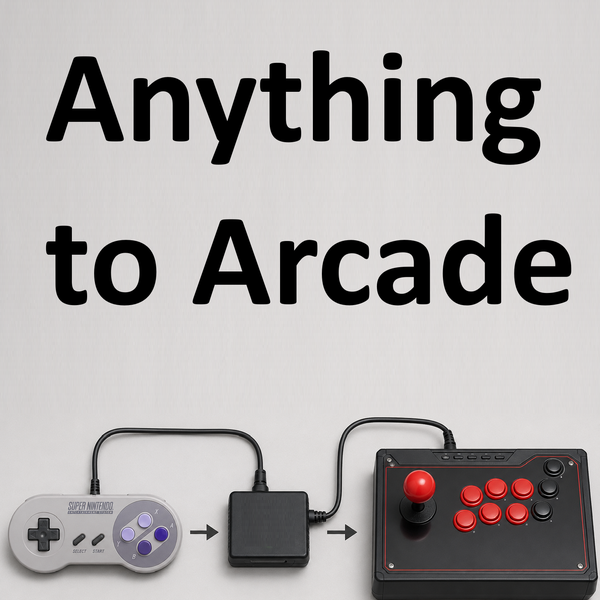
An adapter setup that allows using nearly any game controller as an arcade stick or on NeoGeo/supergun arcade systems via a Bridge and Gamer-Pro setup.
This project is sourced from another site, not written by us — this list is our best match of their components against what we stock, not a verified bill of materials. Always check the original blog (linked above) for the actual parts list before buying.
This project bridges the gap between diverse gaming controllers and vintage arcade systems by translating physical user inputs into recognized cabinet signals. At the heart of the system is the Gamer-Pro (GPA) by Bliss-Box, which acts as a universal hardware interface. When an input cable connects a game controller to the GPA, the device detects the button presses and joystick movements. Instead of raw signals going straight to a console, the data passes through a Bridge interface. Using the accompanying GPA and Bridge configuration software, these inputs are remapped so that any standard controller behaves logically like a dedicated arcade stick or a NeoGeo/supergun input layout. If utilized during the initial prototyping phase, an Arduino Uno can act as a supplementary or testing node for wiring and signal verification. Finally, an output cable routes the translated, arcade-compatible signals from the bridge interface directly into the target arcade hardware, allowing modern or vintage controllers to operate seamlessly as custom arcade controls without requiring original proprietary hardware.
Why Build This
Enables retro gaming enthusiasts and engineering students to interface modern or vintage game controllers with legacy NeoGeo and supergun arcade hardware without purchasing rare proprietary peripherals.
Provides a practical, hardware-software hybrid application for signal translation, remapping protocols, and interface bridging suitable for undergraduate engineering projects.
Streamlines custom arcade cabinet prototyping by letting developers test control schemes using existing input devices before committing to permanent arcade-stick builds.
Real-World Application
Enables retro gaming enthusiasts to use their preferred modern or vintage controllers across different vintage arcade cabinets and consoles without needing original proprietary controllers.
Skills You'll Learn
Hardware interface bridging
controller input remapping
signal protocol translation
retro arcade system wiring
peripheral configuration software utilization
Safety Precautions
No specific precautions noted for this build — always follow general electronics safety practices.
Technology Tags
RETRO GAMING
ARCADE ADAPTERS
CONTROLLERS
SNES
NEOGEO
BLISS-BOX
SUPERGUN
LLAPI
Frequently Asked Questions
The Gamer-Pro (GPA) by Bliss-Box supports a wide variety of controller types through its physical inputs, but you must ensure your specific controller cable matches an available port or adapter supported by the GPA.
No, the Arduino is noted as optional and typically used during the initial prototyping or testing phase. The core translation relies on the GPA and Bridge interface hardware.
You will use the dedicated GPA and Bridge configuration software on a computer to remap the incoming controller signals to match your desired arcade layout.
Gallery
This page is part of Kitkraft's Project Hub — a curated collection of electronics & robotics projects gathered from the maker community to help students and hobbyists discover and learn to build. Kitkraft does not claim authorship of the original project, and makes no representation as to the accuracy, completeness or safety of third-party source material. The summary and "How It Works" explanation above are AI-generated, rewritten with reference to the original tutorial — not a reproduction of it. Full credit and a direct link to the original source are provided above. If you're the original creator and have a concern about how your work is represented here, please contact us and we'll address it promptly.
Kitkraft Project Hub — curated from the maker community, credited at the source.
 Jumper Wire 10 Pin Male To Male 20cm
Rs. 45.00
 400 Points Mini Solderless Prototype PCB Breadboard High Quality
Rs. 89.00
 MB102 Adjustable Breadboard Power Supply Module (3.3V & 5V) for Arduino & Raspberry Pi
Rs. 139.00
 Jumper Wire 10 Pin Male To Female 20cm
Rs. 45.00


