We stock the boards, sensors and modules this project needs. A full parts list is coming soon — for now, browse our DIY Kits & components or search for Analog / Discrete parts.
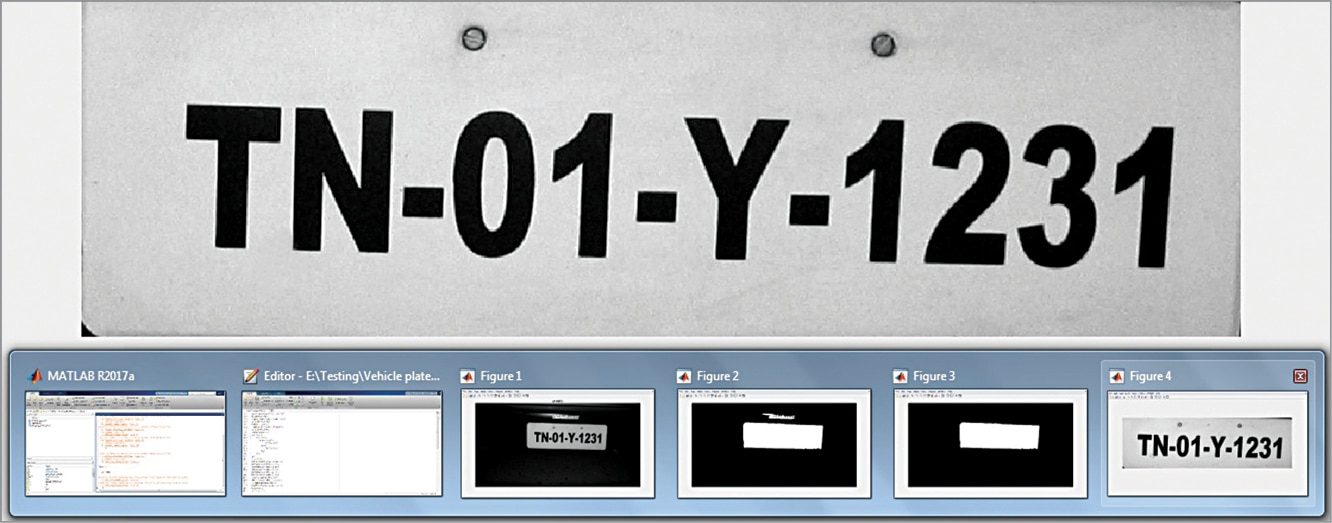
The vehicle number plate detection system operates by processing digital images of vehicles through a sequence of software algorithms executed on a personal computer running MATLAB. When an image or video frame of a vehicle is captured, the system first applies image preprocessing techniques such as grayscale conversion, contrast adjustment, and noise reduction to enhance the visual quality. Next, edge detection and morphological operations are used to isolate regions of interest where high spatial frequency changes occur, which typically corresponds to the rectangular area of a license plate. Once the candidate plate region is segmented from the surrounding vehicle body, character segmentation breaks down the isolated area into individual alphanumeric characters. Finally, optical character recognition (OCR) or template matching algorithms compare the segmented characters against a known database or standard font library to translate the visual pixels into machine-readable text. This entire computational pipeline transforms raw pixel data into structured alphanumeric output without requiring physical hardware microcontrollers or dedicated embedded boards.
Why Build This
Design and implement automated parking management and entry/exit systems for commercial or residential facilities.
Develop intelligent transportation systems for monitoring city traffic patterns and vehicle flow during peak hours.
Enhance automated security systems for vehicle theft prevention and access control at restricted borders.
Real-World Application
Analysis of city traffic during peak hours, automated weigh-in-motion systems, enhanced vehicle theft prevention, parking management systems, and automated entry/exit at parking areas, airports, and interstate borders.
Skills You'll Learn
Digital image processing
morphological filtering
edge detection
optical character recognition
pattern matching
algorithmic pipeline design
Safety Precautions
No specific precautions noted for this build — always follow general electronics safety practices.
Technology Tags
MATLAB
IMAGE PROCESSING
COMPUTER VISION
NUMBER PLATE RECOGNITION
TRAFFIC AUTOMATION
Frequently Asked Questions
While core functions can handle basic array manipulation, image processing and computer vision applications typically require the Image Processing Toolbox and Computer Vision Toolbox in MATLAB.
Yes, as long as the computer meets the minimum RAM and processor requirements to run MATLAB version 2014a or later smoothly, no specialized workstation is necessary.
No, this system can be tested entirely using pre-recorded image files or video clips stored locally on your PC, making a physical camera optional for initial development.
Gallery
This page is part of Kitkraft's Project Hub — a curated collection of electronics & robotics projects gathered from the maker community to help students and hobbyists discover and learn to build. Kitkraft does not claim authorship of the original project, and makes no representation as to the accuracy, completeness or safety of third-party source material. The summary and "How It Works" explanation above are AI-generated, rewritten with reference to the original tutorial — not a reproduction of it. Full credit and a direct link to the original source are provided above. If you're the original creator and have a concern about how your work is represented here, please contact us and we'll address it promptly.
Kitkraft Project Hub — curated from the maker community, credited at the source.