DIY Mask Checking Camera using Raspberry Pi | ML Project
Build a smart mask-checking camera using a Raspberry Pi and Edge Impulse machine learning models to detect whether a person is wearing a face mask correctly.
This project is sourced from another site, not written by us — this list is our best match of their components against what we stock, not a verified bill of materials. Always check the original blog (linked above) for the actual parts list before buying.
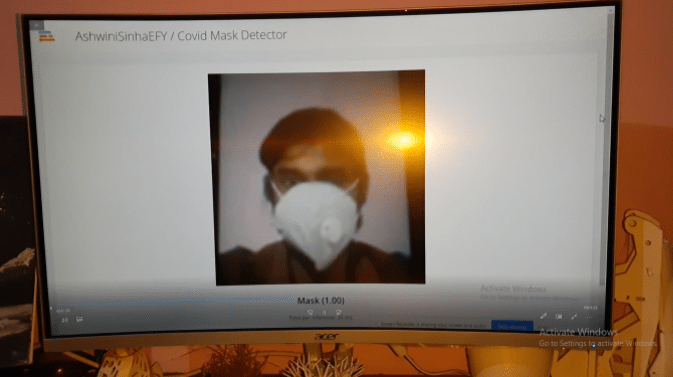
The DIY Mask Checking Camera system functions by integrating optical image acquisition with edge-based machine learning inference on a single-board computer. At the heart of the setup is the Raspberry Pi, powered by a dedicated power supply, which coordinates all processing tasks. Visual data is continuously captured in real time using the Raspberry Pi Camera Module. This raw video stream is piped through GStreamer, a robust multimedia framework responsible for handling video pipelines and frame management. Running under Raspberry Pi OS, the system executes software powered by Node.js alongside the Edge Impulse Linux CLI. The Edge Impulse environment hosts a custom-trained machine learning model optimized for embedded edge devices. As frames are streamed from the camera module, the inference engine analyzes the image data locally to classify whether individuals within the field of view are wearing face masks correctly, incorrectly, or not at all. By processing these video streams locally rather than uploading heavy media files to a cloud server, the system achieves low-latency automated classification directly on the hardware platform.
Why Build This
Design and deploy an end-to-end edge AI pipeline combining computer vision and machine learning model inference on embedded Linux hardware.
Automate public health and safety compliance monitoring at building entrances for offices, schools, and public facilities.
Gain practical undergraduate-level experience integrating hardware camera peripherals with software frameworks like GStreamer, Node.js, and Edge Impulse.
Real-World Application
Automated public health and safety compliance monitoring at entrances of offices, schools, and public buildings.
Skills You'll Learn
Edge machine learning deployment
computer vision pipeline configuration
Linux command-line interface navigation
multimedia streaming with GStreamer
embedded system integration
Safety Precautions
No specific precautions noted for this build — always follow general electronics safety practices.
Technology Tags
MACHINE LEARNING
EDGE IMPULSE
IMAGE PROCESSING
RASPBERRY PI CAMERA
PYTHON
NODE.JS
Frequently Asked Questions
No. Once the Edge Impulse machine learning model is downloaded and configured on your Raspberry Pi, the inference runs locally on the device without requiring cloud connectivity.
The project specifically targets the Raspberry Pi 5. Older models may lack the processing power and memory required to handle the Edge Impulse Linux CLI and GStreamer video pipelines smoothly for real-time classification.
GStreamer manages the multimedia pipeline, efficiently capturing, formatting, and routing the video frames from the Raspberry Pi Camera Module so the machine learning software can analyze them.
Gallery
This page is part of Kitkraft's Project Hub — a curated collection of electronics & robotics projects gathered from the maker community to help students and hobbyists discover and learn to build. Kitkraft does not claim authorship of the original project, and makes no representation as to the accuracy, completeness or safety of third-party source material. The summary and "How It Works" explanation above are AI-generated, rewritten with reference to the original tutorial — not a reproduction of it. Full credit and a direct link to the original source are provided above. If you're the original creator and have a concern about how your work is represented here, please contact us and we'll address it promptly.
 Raspberry Pi 3 - Model B+ 1.4Ghz 64-bit quad-core Processor with 1 GB Ram (Original)
Rs. 5,400.00
 MB102 Adjustable Breadboard Power Supply Module (3.3V & 5V) for Arduino & Raspberry Pi
Rs. 139.00
 400 Points Mini Solderless Prototype PCB Breadboard High Quality
Rs. 89.00
 Jumper Wire 10 Pin Male To Male 20cm
Rs. 45.00
 Jumper Wire 10 Pin Male To Female 20cm
Rs. 45.00


