How Does a NEO-6M GPS Module Work and How to Interface it with ESP32
Learn how to interface the NEO-6M GPS module with an ESP32 microcontroller to parse live location data such as latitude, longitude, and altitude using NMEA sentences and the TinyGPSPlus library.
This project is sourced from another site, not written by us — this list is our best match of their components against what we stock, not a verified bill of materials. Always check the original blog (linked above) for the actual parts list before buying.
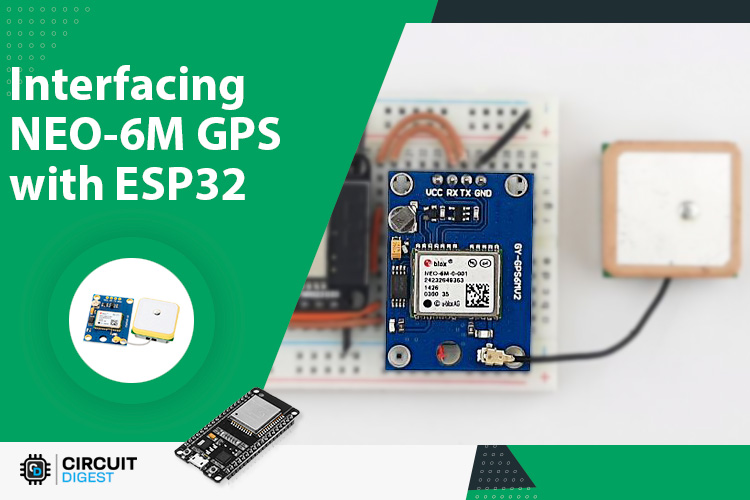
The core of this system is the NEO-6M GPS module, which calculates its precise geographic position by receiving radio signals from multiple orbiting Global Positioning System satellites using its attached antenna. Inside the module, a specialized receiver processes these satellite signals to determine global coordinates, including latitude, longitude, and altitude, alongside precise UTC time data. Once computed, the module continuously streams this positioning data outward as standard text-based strings known as NMEA sentences, transmitting them asynchronously via serial communication protocols. To read and interpret this telemetry, the ESP32 development board connects to the GPS module using designated general-purpose input/output pins configured for serial data reception. Because raw NMEA sentences contain vast amounts of combined information, the ESP32 runs software utilizing the TinyGPSPlus library to decode the incoming character stream on the fly. This library efficiently parses out specific variables—such as decimal degrees for location and meters for altitude—isolating the necessary telemetry data without requiring the engineer to manually parse raw strings. Power is supplied to the entire circuit via the USB cable connected to the ESP32, which steps down and distributes the appropriate operating voltage to both the microcontroller and the GPS module over connecting wires. Through this continuous loop of satellite reception, serial transmission, and software-based parsing, the system successfully translates invisible orbital signals into readable, actionable location coordinates.
Why Build This
Develop practical competencies in serial communication protocols by bridging external hardware sensors with microcontroller UART interfaces.
Implement software parsing libraries to extract actionable variables from complex, continuous data streams like NMEA sentences.
Prototype foundational architectures used in modern outdoor asset tracking, remote data logging, and vehicle navigation systems.
Real-World Application
Asset tracking, vehicle navigation systems, outdoor data logging, and location-based IoT applications.
Skills You'll Learn
UART serial communication
NMEA data parsing
GPS satellite telemetry processing
library integration in Arduino IDE
microcontroller sensor interfacing
Safety Precautions
No specific precautions noted for this build — always follow general electronics safety practices.
Technology Tags
GPS
NEO-6M
UART
NMEA
TINYGPSPLUS
ARDUINO IDE
EMBEDDED SYSTEMS
Frequently Asked Questions
GPS modules require a direct, unobstructed line of sight to orbiting satellites. Concrete, metal, and roofing materials block these weak signals, so initial testing and satellite locking must be performed outdoors or near an open window.
Not necessarily. While a USB cable connected to a computer is helpful for viewing live output via the Arduino IDE serial monitor, you can also power the ESP32 using a portable USB power bank while moving around outside.
The TinyGPSPlus library takes the raw, continuous stream of NMEA text characters coming from the NEO-6M module and automatically extracts usable numeric values like latitude, longitude, and altitude, saving you from writing complex string-parsing code manually.
Gallery
This page is part of Kitkraft's Project Hub — a curated collection of electronics & robotics projects gathered from the maker community to help students and hobbyists discover and learn to build. Kitkraft does not claim authorship of the original project, and makes no representation as to the accuracy, completeness or safety of third-party source material. The summary and "How It Works" explanation above are AI-generated, rewritten with reference to the original tutorial — not a reproduction of it. Full credit and a direct link to the original source are provided above. If you're the original creator and have a concern about how your work is represented here, please contact us and we'll address it promptly.
 ESP32 WiFi+Bluetooth CP2102 Development Board
Rs. 520.00
 Jumper Wire 10 Pin Male To Male 20cm
Rs. 45.00
 Cable for Arduino Nano (USB 2.0 A to USB 2.0 Mini B) 30cm
Rs. 69.00
 400 Points Mini Solderless Prototype PCB Breadboard High Quality
Rs. 89.00
 MB102 Adjustable Breadboard Power Supply Module (3.3V & 5V) for Arduino & Raspberry Pi
Rs. 139.00
 Jumper Wire 10 Pin Male To Female 20cm
Rs. 45.00


