Project Hub/IoT & Connected Devices/Telemetry & Remote Logging/Joystick Game Controller using Arduino Leonardo
Intermediate
ARDUINO
₹500 – ₹1,500
3 – 6 Hours
Joystick Game Controller using Arduino Leonardo
Build a custom USB game controller using an Arduino Leonardo and a dual-axis joystick module to play computer games.
Originally published by P Pradeep Kumar on CircuitDigest
View original tutorial
How It Works
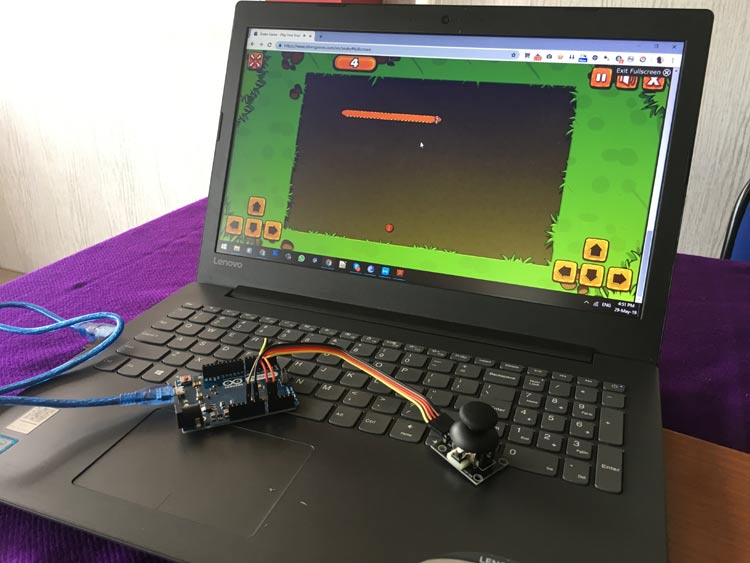
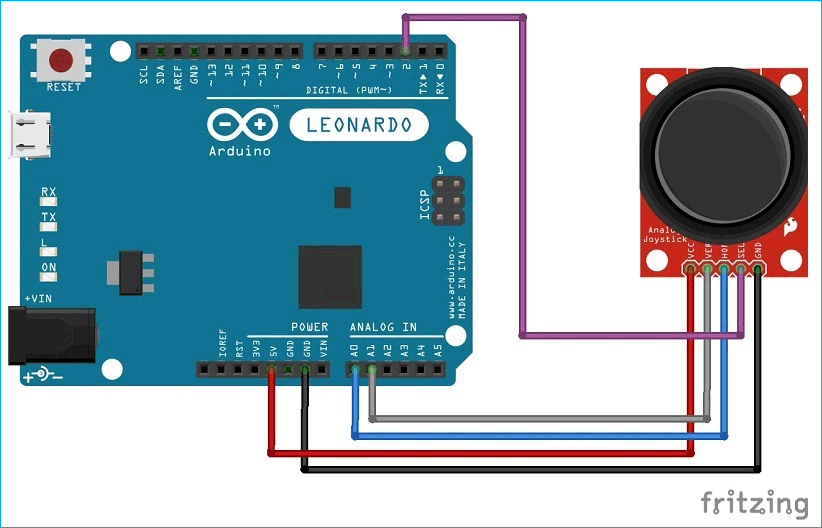
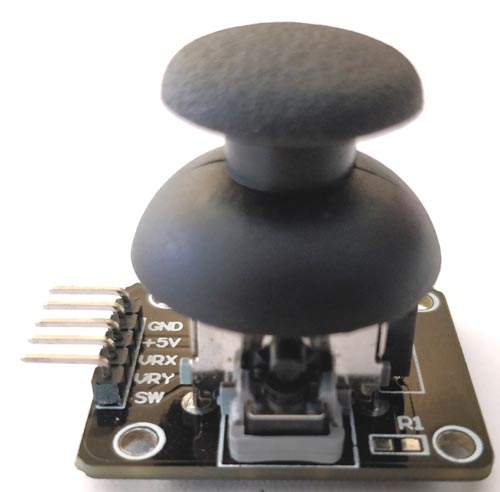
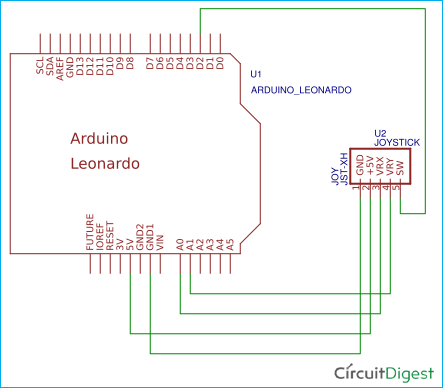
The Joystick Game Controller project leverages the unique hardware architecture of the Arduino Leonardo to function as a native USB human interface device (HID). At the heart of the system is the dual-axis XY joystick module, which consists of two independent potentiometers—one for the X-axis and one for the Y-axis—along with an integrated push button. As you manipulate the joystick physical thumbstick, the wipers of the potentiometers change position, varying the analog voltage output on two separate pins connected to the Arduino Leonardo. The microcontroller reads these analog voltage levels using its built-in analog-to-digital converter (ADC). Simultaneously, the digital push button state is monitored through a designated digital input pin using internal pull-up resistors. Powered via a standard micro USB cable connected directly to a computer, the Arduino Leonardo executes a custom sketch developed in the Arduino IDE. By utilizing the Arduino Keyboard Library (or generalized USB HID libraries), the microcontroller translates the incoming analog voltage coordinates and digital button states into standard USB keyboard or joystick HID reports. The host computer instantly recognizes the Arduino Leonardo not as a traditional serial device, but as a plug-and-play USB game controller or keyboard, allowing the physical movements of the analog sticks and presses of the button to seamlessly execute game commands without requiring complex external driver installations.
Why Build This
Design and prototype custom USB game controllers and human-computer interface (HCI) peripherals for desktop applications.
Develop assistive technology input devices tailored to specific ergonomic or physical accessibility requirements.
Gain practical undergraduate-level experience in USB HID protocol implementation and microcontroller-based analog sensor interfacing.
Real-World Application
Custom gaming peripherals, assistive technology input devices, custom UI navigation controllers, and PC gaming hardware prototyping.
Skills You'll Learn
USB HID protocol implementation
analog-to-digital conversion
potentiometer signal conditioning
digital input state polling
microcontroller peripheral integration
Safety Precautions
No specific precautions noted for this build — always follow general electronics safety practices.
Technology Tags
ARDUINO LEONARDO
ATMEGA32U4
JOYSTICK
USB HID
KEYBOARD EMULATION
ANALOG INPUT
GAMING CONTROLLER
Ready to build this?
We stock the boards, sensors and modules this project needs. A full parts list is coming soon — for now, browse our DIY Kits & components or search for Arduino parts.
Frequently Asked Questions
Why specifically use an Arduino Leonardo instead of an Arduino Uno?
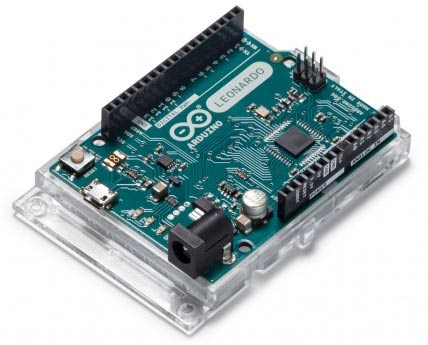
The Arduino Leonardo features native USB communication capabilities handled directly by its main microcontroller (ATmega32U4), allowing it to emulate a USB keyboard or mouse. An Arduino Uno uses a secondary chip for USB-to-serial conversion and cannot natively present itself to a computer as an HID device.
Do I need to install any external drivers on my computer to make the controller work?
No. Because the Arduino Leonardo natively supports the USB HID class standard, modern operating systems will automatically recognize it as a standard game controller or keyboard peripheral upon connection.
How do I map the joystick movements to actual keystrokes or game actions?
You map the movements inside your Arduino IDE code using the Arduino Keyboard Library or USB HID libraries. The sketch reads the analog values from the joystick axes, sets thresholds, and triggers specific key presses or mouse commands when those thresholds are crossed.
Gallery
Kitkraft Project Hub — curated from the maker community, credited at the source.
PRJ-00092