Project Hub/Automotive EV & Transportation/Anti-Theft Tracking/Raspberry Pi based Automatic Library Book Management System using Python Flask
Intermediate
RASPBERRY PI
₹5,000 – ₹15,000
6 – 12 Hours
Raspberry Pi based Automatic Library Book Management System using Python Flask
An automated library management system built with Raspberry Pi, OpenCV, and Python Flask that allows contactless book issuing and returning via IR sensors and barcode scanning.
Originally published by M Mohit Maurya on CircuitDigest
View original tutorial
How It Works
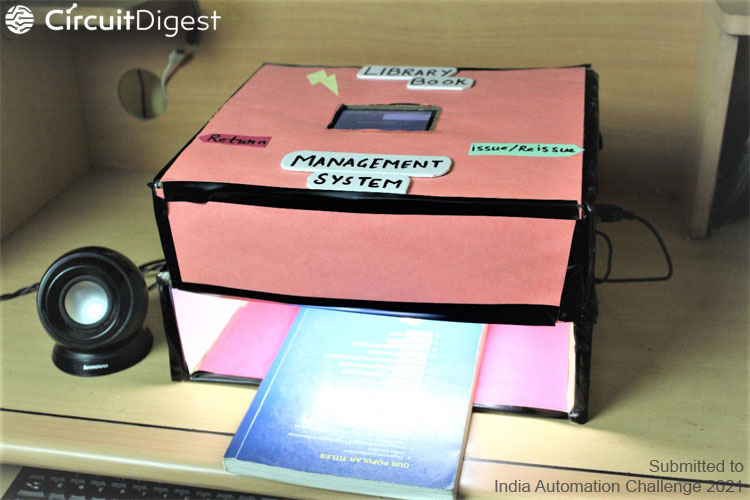
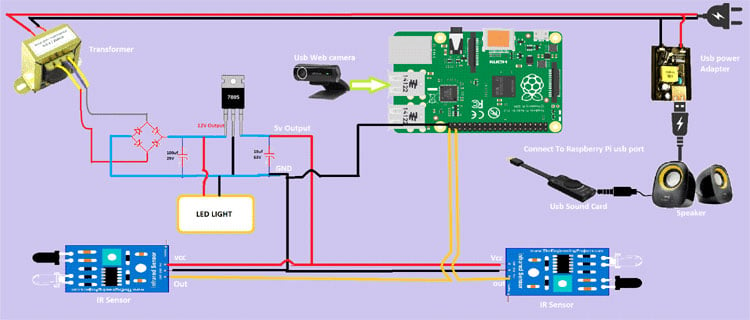
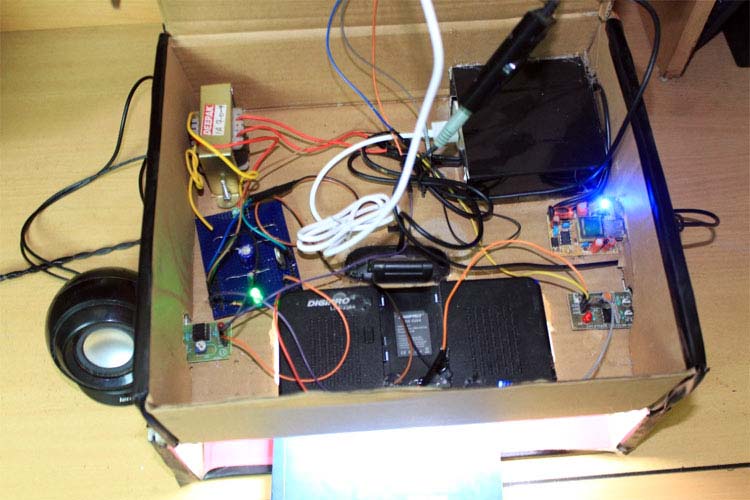
The Raspberry Pi based Automatic Library Book Management System operates as an integrated hardware and software platform designed to streamline book issuing and returning processes. At the heart of the hardware setup is a custom-built power supply unit, utilizing a transformer, diodes, a capacitor, a 7805 voltage rectifier, and resistors to step down and regulate AC mains voltage into a stable DC supply for the circuitry. IR sensors detect the physical presence or movement of books, signaling the system when an item is placed in the designated slot. Once triggered, the USB webcam captures an image of the book's barcode. The Raspberry Pi processes this visual feed using OpenCV and the Pyzbar library to decode the barcode information, cross-referencing it with a backend MySQL database managed via Python Flask and PHP scripts. For user feedback, the system incorporates a 3.5-inch Raspberry Pi TFT Display for visual prompts, while a USB sound card and USB speaker drive text-to-speech outputs generated via the gtts library to provide audible confirmations of transaction statuses. LEDs indicate system power and operational states. Furthermore, remote interaction is supported through a mobile interface designed with MIT App Inventor, and a PySimpleGUI setup allows local desktop control, all interconnected securely via jumper wires on custom PCBs housed within a protective enclosure.
Why Build This
Develop practical undergraduate-level engineering experience by integrating computer vision, database management, and custom power electronics into a cohesive IoT system.
Implement contactless inventory tracking solutions that minimize physical contact, reduce germ transfer, and optimize workflow efficiency in modern institutional libraries.
Gain hands-on proficiency in connecting diverse peripherals—such as USB webcams, TFT displays, and IR sensors—to a single-board computer running Python and Flask.
Real-World Application
Libraries in schools, colleges, and universities seeking contactless, automated operations to minimize germ transfer, enforce social distancing, and track inventory efficiently.
Skills You'll Learn
Computer vision barcode decoding
Python Flask web framework development
MySQL database integration
custom AC-to-DC power supply design
text-to-speech audio synthesis
mobile app development with MIT App Inventor
Safety Precautions
Exercise standard caution when assembling custom AC-to-DC full bridge rectifier power supplies and handling mains voltage connections.
Technology Tags
PYTHON
FLASK
OPENCV
MYSQL
PYZBAR
GTTS
PYSIMPLEGUI
BARCODE SCANNING
IR SENSORS
WEB DEVELOPMENT
MOBILE APP
Ready to build this?
We stock the boards, sensors and modules this project needs. A full parts list is coming soon — for now, browse our DIY Kits & components or search for Raspberry Pi parts.
Frequently Asked Questions
Why is a custom transformer and 7805 voltage rectifier needed if the Raspberry Pi uses a standard USB power adaptor?
The custom power supply circuit is typically used to power auxiliary peripheral hardware components like the IR sensors, LEDs, and relay modules that require specific DC voltage levels separate from the main board.
Can I use a different model of single-board computer instead of the Raspberry Pi 3 B+ or Raspberry Pi 5?
The software stack depends heavily on Raspberry Pi OS compatibility, Python libraries like OpenCV and Pyzbar, and the specific 3.5-inch TFT display header pins, so substituting boards may require significant pinout and driver adjustments.
How does the MIT App Inventor interface communicate with the Raspberry Pi system?
The mobile app interacts with the system remotely via network requests routed through the Python Flask web application backend hosted on the Raspberry Pi.
Gallery
Kitkraft Project Hub — curated from the maker community, credited at the source.
PRJ-00521