This project is sourced from another site, not written by us — this list is our best match of their components against what we stock, not a verified bill of materials. Always check the original blog (linked above) for the actual parts list before buying.
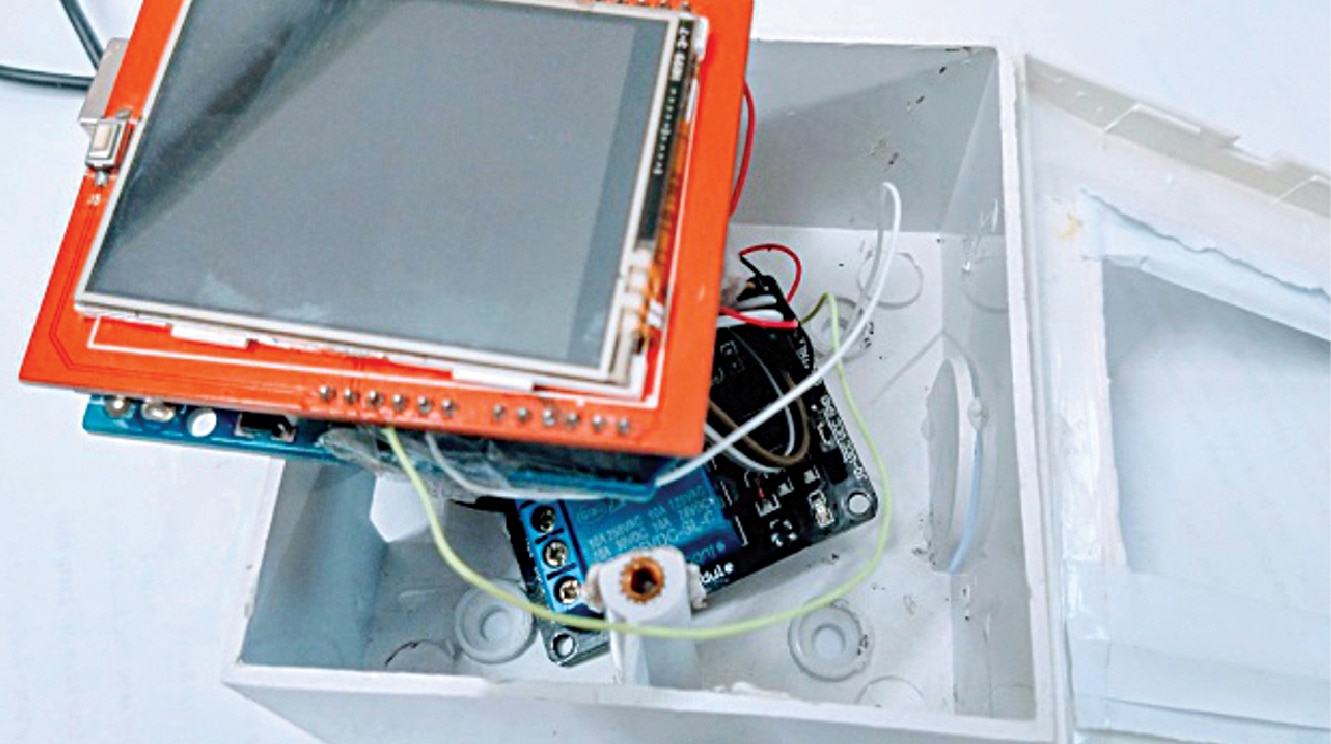
The Smart Touch Panel for Home Automation system is orchestrated by an Arduino Uno microcontroller, which serves as the central processing unit for both local user input and sensor monitoring. The user interface consists of a 6cm TFT touch display shield mounted directly onto the Arduino Uno. This display utilizes the Adafruit GFX and TouchScreen libraries to render graphical interface elements and register physical touch coordinates in real time. When a user presses a virtual button on the screen, the Arduino interprets the touch event and triggers a digital output signal. This signal controls a relay module, which acts as an electrically isolated switch capable of managing higher-power electrical circuits and connected appliances. Simultaneously, the system monitors environmental conditions using an NTC (Negative Temperature Coefficient) thermistor. Because an NTC thermistor changes its electrical resistance in response to temperature variations, the Arduino measures the resulting analog voltage divider circuit and applies the NTC thermistor library to calculate the accurate ambient room temperature. This temperature data is continuously processed and displayed on the TFT screen. Furthermore, remote interaction is achieved by integrating wireless functionality designed through MIT App Inventor, allowing a custom Android application to communicate with the hardware setup, thereby bridging local touch controls and remote smart-device management into a cohesive embedded system powered by a steady external power supply.
Why Build This
Design and deploy custom graphical user interfaces on embedded TFT touch displays suitable for modern smart home retrofits.
Implement sensor data acquisition and analog-to-digital conversion using NTC thermistors for accurate environmental monitoring.
Bridge microcontroller hardware with custom Android mobile applications built via MIT App Inventor for wireless appliance control.
Real-World Application
Replacing traditional mechanical wall switches with smart touch panels in homes, offices, and hotels to enhance interior aesthetics and enable remote control of appliances via smartphones.
Skills You'll Learn
TFT display graphics rendering
resistive touch screen handling
NTC thermistor temperature calibration
relay module interfacing and load switching
analog sensor signal conditioning
Android mobile app development using MIT App Inventor
Safety Precautions
Exercise caution when working with mains electricity connected to relay modules. Ensure proper insulation and disconnect power before wiring appliances.
Technology Tags
ARDUINO
TFT LCD
TOUCH SCREEN
MIT APP INVENTOR
ANDROID APP
HOME AUTOMATION
RELAYS
TEMPERATURE SENSOR
Frequently Asked Questions
No, this project specifically relies on a 6cm TFT touch display shield that is fully compatible with the Arduino Uno pinout and utilizes the specified Adafruit GFX and TouchScreen libraries.
The Android application, built using MIT App Inventor, communicates with the system wirelessly to send control commands and receive status updates handled by the Arduino.
The NTC thermistor acts as a temperature-sensitive resistor that allows the Arduino to measure changes in room temperature and display real-time thermal data on the TFT screen.
Gallery
This page is part of Kitkraft's Project Hub — a curated collection of electronics & robotics projects gathered from the maker community to help students and hobbyists discover and learn to build. Kitkraft does not claim authorship of the original project, and makes no representation as to the accuracy, completeness or safety of third-party source material. The summary and "How It Works" explanation above are AI-generated, rewritten with reference to the original tutorial — not a reproduction of it. Full credit and a direct link to the original source are provided above. If you're the original creator and have a concern about how your work is represented here, please contact us and we'll address it promptly.
 Arduino UNO R3 Board (Compatible) – ATmega328P Microcontroller with USB Cable
Rs. 999.00
 5V 1 Channel Relay Module
Rs. 45.00
 Jumper Wire 10 Pin Male To Male 20cm
Rs. 45.00
 MB102 Adjustable Breadboard Power Supply Module (3.3V & 5V) for Arduino & Raspberry Pi
Rs. 139.00
 400 Points Mini Solderless Prototype PCB Breadboard High Quality
Rs. 89.00
 Jumper Wire 10 Pin Male To Female 20cm
Rs. 45.00


